
Calendar and hours for preaching
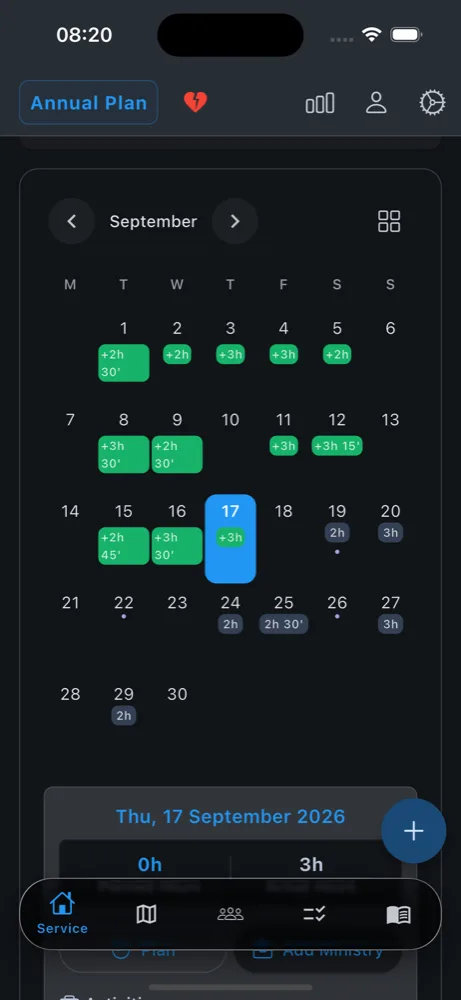
Plan and record field service by day and month. See the hours wey miss, wey you plan and wey you don do with one look.
The free field service app for Jehovah Witness people: hours, Bible studies, territories, interested persons and congregation tasks dey one place, with timer for lock screen. For 59 languages.
Dem make am for publishers, pioneers, and anybody wey want clear records.
Plan and record field service by day and month. See the hours wey miss, wey you plan and wey you don do with one look.
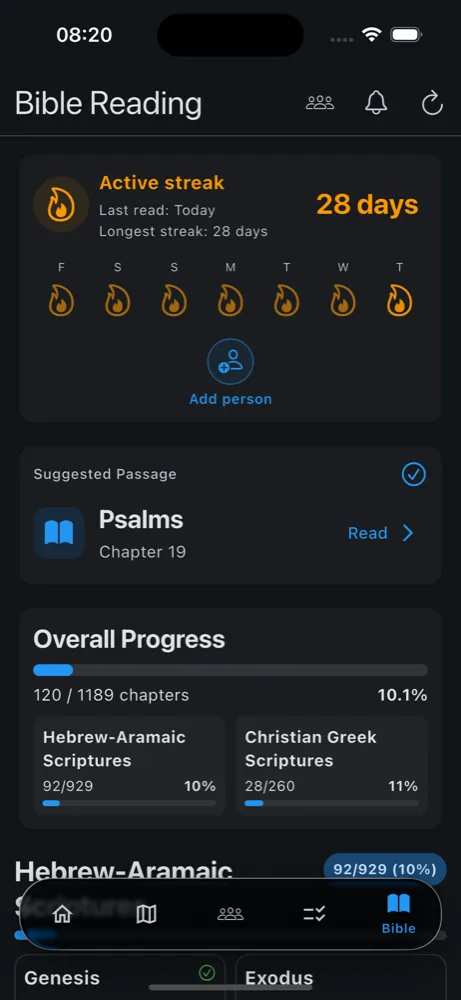
Follow your daily reading progress, keep streak, and if you like, share reading with friends.
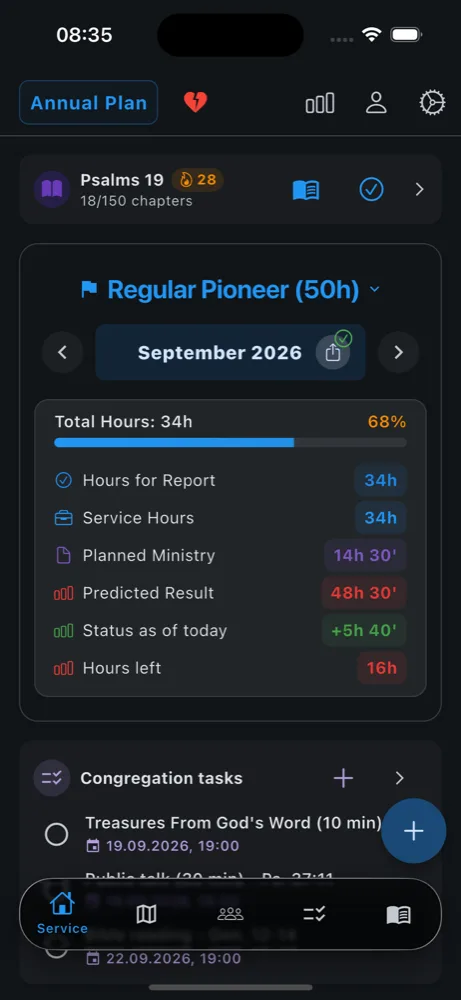
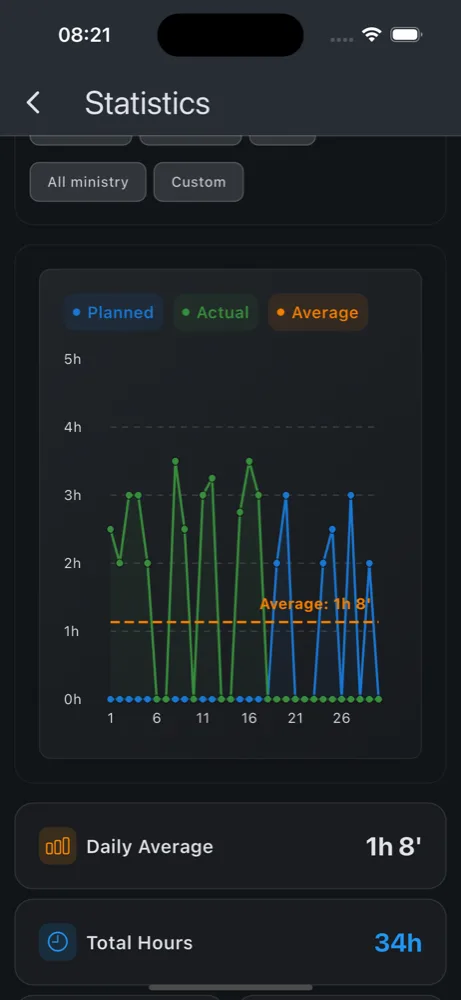
Make report for the month and see overview of your preaching work. Change the formats for settings.
Write notes about visits and studies. Stay organized with the people wey you de check again.
Invite friends, share Bible streaks, and find partners for preaching when you need company.
Keep card for each territory with map, addresses and notes. Draw the places wey you don reach, and see when dem take the territory and when dem finish am.
Meeting parts, cleaning and other assignments, each one with date and reminder. Invite friend and see if e accept.
Every backup dey encrypted for your device before dem write am. The sync option wey dem recommend de keep the data for your account encrypted with password wey only your devices get.
Start the timer for preaching and control am from lock screen, the notification or your Apple Watch — pause, continue or stop without to open the app.
Hours for the month, plans wey de come, the calendar, congregation tasks and Bible reading dey your home screen. Tick task, mark plan as done or chapter as read without to open the app.
Sync between devices through Google Drive, iCloud or your app account. The app de work offline first, so the changes go wait for line and go go out when connection come back.
Straight from the app, for phone with dark mode.
Install am free from App Store or Google Play.
Choose your role, goals, and language — you fit change everything later.
Add plans and service wey you don do, follow Bible reading, and share reports when you ready.
Ministry Assistant 2 de support 59 languages for the whole world.
Choose language
Ministry Assistant 2 na free app for Jehovah Witness people wey de help publishers and pioneers plan and record their field service: hours, Bible studies, return visits, territories, Bible reading and the report for the month. E de work for iPhone, iPad, Apple Watch and Android, e de work offline and e dey 59 languages. Congregations fit use am too for meeting programs, assignments and public witnessing.
Yes. The main features free, including local backups and backups to your own Google Drive or iCloud. Donations wey you want give de support development. Sync between devices and cloud backup for your Ministry Assistant account need active subscription because dem cost money to run.
Record your preaching work for the month for the calendar or with the timer. The app go add the month for you: if you preach, your Bible studies and, for pioneers, your hours. Send the report as message with few taps or, if your congregation de use the app, straight to your group overseer, encrypted from end to end.
Yes. Choose your role — publisher, auxiliary pioneer (15 or 30 hours), regular or special pioneer — and the app go show your progress toward the goal for the month and for the service year and how many hours still remain. You fit record LDC hours separate, and you fit set months for auxiliary pioneer without to change your role.
By default, data de stay for your device. If you turn on backup or sync, dem fit keep data for cloud too according to the options wey you choose.
Yes. You fit record your preaching work and use most features without internet connection. Sync go happen when you come online again.
iOS and Android. Widgets and the timer for lock screen de work for the two; the Apple Watch app need iPhone.
No. Ministry Assistant 2 na independent helper app and e no get any connection with the Watch Tower organization and dem no approve am.
59 languages. AI help for most of the translations and mistakes fit dey inside — you fit report problems from the app or contact us.
Yes. The app get option to import backup from the former Ministry Assistant app.
Send e-mail to fluttercodivine@gmail.com. If na mistake for language, use the report option inside the app when e dey.
Free · 59 languages · iOS & Android